


cm mm Sizes below are shown in cm by default - use the toggle to switch to mm.
At a glance
- Most home offices: 1200-1500mm 120-150cm wide, 600mm 60cm deep.
- Laptop-only, tight space: go smaller at 800-1000mm 80-100cm wide.
- Three monitors, or two people at one desk: size up to 1800mm 180cm wide, 800mm 80cm deep.
- Desk height: a fixed desk sits at roughly 710-760mm 71-76cm, suited to adults roughly 5'4" to 6'0" - outside that range, or to alternate sitting and standing, an adjustable frame is the better choice.
The full breakdown, with a decision checklist, follows below.
Contents
Start with the room, not the desk
Desk width: how much surface do you need
Desk depth: the measurement people skip
What if you're using a monitor arm?
Desk height: fixed or adjustable
If your room is small
If you're furnishing a larger or shared space
Need a size we don't stock?
A quick decision checklist
Explore the range
Frequently asked questions
Start with the room, not the desk
The first step when measuring for a desk is to get the right dimensions of the room. A desk that fits on paper can still feel wrong in the room if it crowds a doorway or doesn't allow adequate room to move around the chair.
- Leave at least 900mm 90cm of clearance behind the chair so you can stand up and move around it comfortably.
- Measure the full wall length, then subtract 100-150mm 10-15cm either side if the desk will sit near a window, radiator or skirting detail.
- Check door swing and any walkway through the room - a desk shouldn't sit in the path between two doors.
- If you're working with an alcove or fitted space, measure the narrowest point, not the widest, since most rooms taper slightly.
Once you have a maximum width and depth for the space, you can match it against how you actually work.
Desk width: how much surface do you need
The width of the desk depends on what sits on the desk day to day, not by the size of the room alone. Each step up the list below adds a device, and the desk needs to grow with it - a laptop that stays open next to a monitor takes up its own strip of desk, so a laptop-plus-monitor setup needs more width than a monitor alone.
| You mainly use | Width | Why |
|---|---|---|
| A laptop only, tight space | 800mm 80cm | Enough for the laptop, a notepad and a coffee, in a compact footprint |
| A laptop only, more breathing room | 1000mm 100cm | The same setup with room either side to spread out |
| A single monitor (laptop closed or docked) | 1200mm 120cm | The monitor sits centred, with space for a keyboard and mouse |
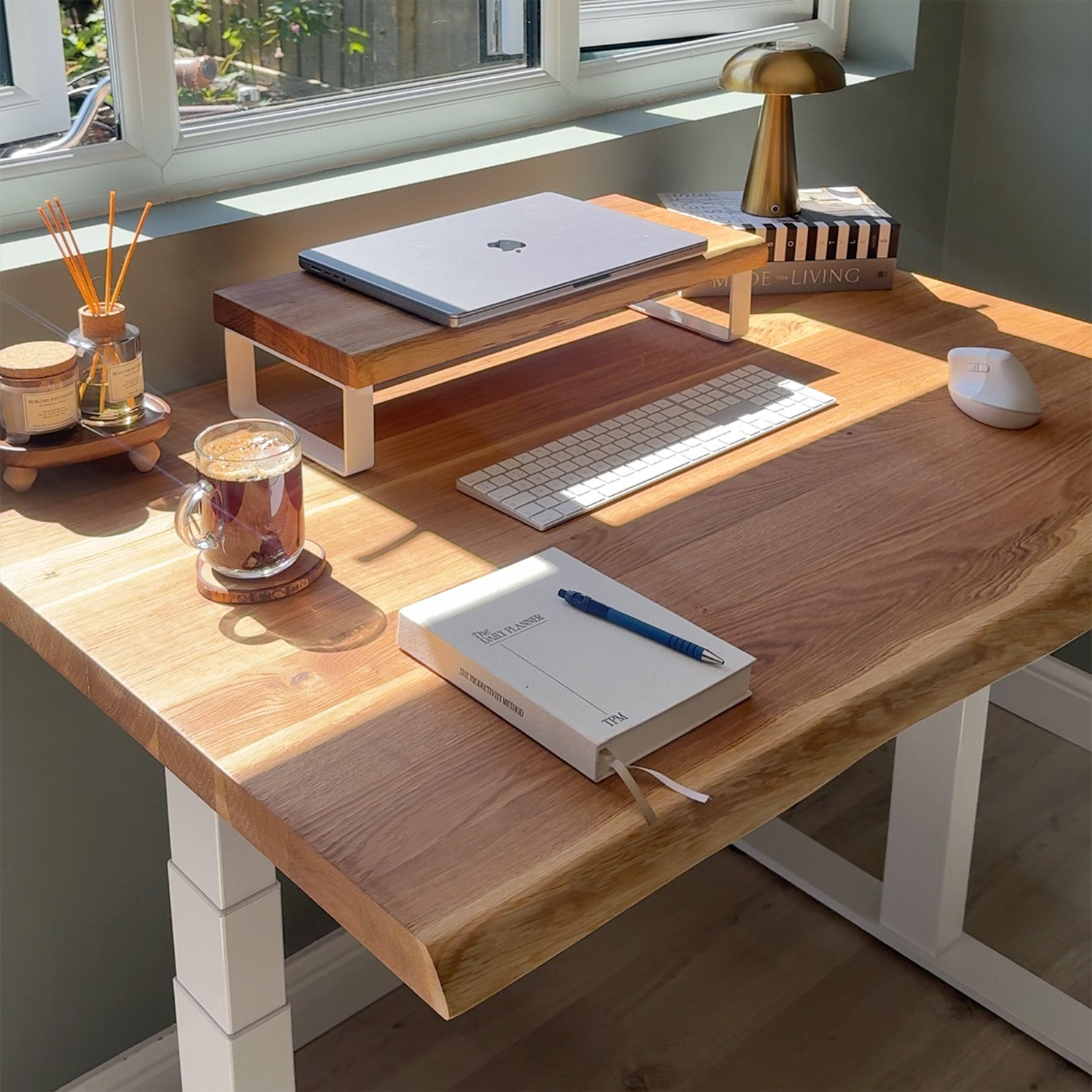
| A laptop kept open alongside one monitor | 1500mm 150cm | Room for both the laptop's own space and the monitor, without either crowding the other |
| Two monitors | 1500-1800mm 150-180cm | Both screens sit side by side without crowding |
| Three monitors, or two people working together at one desk | 1800mm 180cm | The extra width covers a third screen, or gives two people their own space to work from side by side |
If you're between two sizes, it's usually best to size up rather than down, if your space allows it. A slightly larger desktop is easy to grow into; a too-small one is a daily irritation.
A hot-desk is a separate consideration, since only one person's setup is in use at any time. Size it for the most demanding setup likely to sit there - usually two monitors - rather than defaulting to the largest desk on the list.
Desk depth: the measurement people skip
Depth gets far less attention than width, but it's what determines whether your screen sits at a comfortable distance.
- 500mm 50cm depth suits a laptop-only setup in the smallest spaces. It's the shallowest standard depth, so it works best without a monitor or monitor arm mounted at the back edge.
- 600mm 60cm depth is the versatile default - enough for a single monitor on a stand, or a laptop alongside one screen, with room left for a keyboard and mouse.
- 800mm 80cm depth is the better choice for two monitors, a monitor arm, or any setup with heavier equipment. It puts the screen at roughly an arm's length away, which is the distance most eye specialists recommend for reducing strain over a working day.
If you only remember one rule from this guide, it's this: match depth to your screen, not just your desktop.
What if you're using a monitor arm?
A monitor arm changes the depth calculation slightly. Because the screen is held forward on an arm rather than sitting on a stand at the back of the desk, you can often get away with a shallower depth than a monitor-on-a-stand setup would need - 600mm 60cm works well for a single arm-mounted monitor, where 800mm 80cm might otherwise feel safer.
Two things still matter, whichever depth you choose:
- Clamp clearance. Most arms clamp to the back edge of the desk and need roughly 50-70mm 5-7cm of clear depth behind the clamp itself, so leave that allowance even on a shallower desktop.
- Desktop thickness. A 40mm 4cm top gives a clamp screw more material to bite into than a 27mm 2.7cm top - worth checking if you're pairing an arm with one of our thinner desktops.
If you're running two arms side by side, they typically take up less width than two separate monitor stands, so a 1500mm 150cm desktop can sometimes do the work of an 1800mm 180cm one. If you want tidy cable routing to go with the arm, we offer a cable hole cut-out as a bespoke option (see below).
Desk height: fixed or adjustable
Standard fixed-height desks sit at around 710-760mm 71-76cm, a range set to suit adults roughly 5'4" to 6'0" when paired with a properly adjusted chair. If you fall outside that height range, share a desk with someone who does, or want the option to stand for part of the day, an electric height-adjustable frame solves the problem without the compromise of a fixed height that only half-fits.
Here's how our standing desk frames compare, so you can match the frame to your setup as well as your room:
| d1 | d2 | d3 | |
|---|---|---|---|
| Lifting height | 710-1200mm 71-120cm | 710-1180mm 71-118cm | 630-1290mm 63-129cm |
| Motor | Single | Dual | Dual |
| Max desktop size | 1500 x 800mm 150 x 80cm (27mm 2.7cm top only) | 1500 x 800mm 150 x 80cm | 1800 x 800mm 180 x 80cm |
| Min desktop size | 1000 x 600mm 100 x 60cm | 1200 x 600mm 120 x 60cm | 1200 x 800mm 120 x 80cm |
| Max load | 80kg | 100kg | 120kg |
d1 suits a first standing desk in a compact space. d2 is the mid-range choice for most home offices, with a wider height range and dual-motor stability. d3 is built for larger desktops, heavier monitor setups, or anyone who wants the widest possible sit-stand range - and it's the frame paired with our 1800mm 180cm premium desktops.
If your room is small
A small room doesn't rule out a proper desk. An 800mm 80cm or 1000mm 100cm wide desktop, on either fixed legs or a d1 frame, fits into most alcoves and bedroom corners while still giving a laptop room to work comfortably. Wall-mounted placement or tucking the desk into a corner helps too, since it frees up the floor space you'd otherwise lose to chair clearance.
If you're furnishing a larger or shared space
For studios, hybrid offices or any setup where a third monitor, a docking station and accessories, or two people working from one desk are the norm, size up rather than following home-office defaults. An 1800mm 180cm-wide desktop on a d3 frame gives enough surface for that, holds up to daily use across a working week, and its higher load capacity accounts for heavier monitor arms and accessories.
For hot-desks specifically, resist sizing up automatically. Since only one person uses the desk at a time, plan around the most demanding setup expected to sit there - usually two monitors, at 1500-1800mm 150-180cm - rather than the maximum size in the range.
Need a size we don't stock?
If nothing standard quite fits your space, we offer a cut-to-size service and can help with custom widths, depths and edge details on request - useful for an awkward alcove, a very specific wall run, or a monitor-arm cable hole cut into the desktop. Get in touch and we'll see what's possible.
A quick decision checklist
- Measure the room and note your maximum width and depth, minus clearance.
- List what sits on the desk day to day - laptop, one monitor, two or three monitors, or two people working from it together.
- Match that list against the width and depth guidance above.
- Factor in a monitor arm if you're using one - it may let you go shallower on depth.
- Decide whether a fixed height works for you, or whether an adjustable frame is worth it.
- Check the desktop size against the frame's minimum and maximum before you order, especially for standing desks.
- If nothing standard fits, ask about bespoke sizing before compromising on either the room or the setup.
Explore the range
Whatever size you land on, our desks are available as complete sets or as separate components, so you can pair the right desktop with the right frame rather than compromising on either.
- Browse all desks
- Standing desks (d1, d2, d3)
- Desktops on their own
- Small desks for tight spaces
- Bespoke sizing and cut-to-size
Frequently asked questions
- What is a good desk size for a home office? For most home offices, 1200-1500mm 120-150cm wide and 600mm 60cm deep covers a laptop, a monitor, or both, without overwhelming the room. Go wider, or to 800mm 80cm deep, if you're running two monitors.
- Is 600mm desk depth enough? It's enough for a single monitor on a stand, or a laptop alongside one screen. For two monitors, or a monitor arm setup, 800mm 80cm keeps everything at a comfortable distance with room to spare.
- What size desk do I need for two monitors? Aim for at least 1500mm 150cm wide and 800mm 80cm deep. This gives both screens room to sit side by side with space left for a keyboard and mouse.
- Why does a laptop and monitor need more desk space than one monitor alone? Because the laptop still needs its own open space next to the screen, even if you're mainly looking at the monitor. A single monitor can sit on a 1200mm 120cm desk; add an open laptop beside it and 1500mm 150cm is more comfortable.
- Does a monitor arm change what size desk I need? It can. A monitor arm holds the screen forward off the desk rather than resting it on a stand at the back edge, so you can sometimes use a shallower depth than you would with a monitor stand. Just leave enough clearance behind the clamp itself, and check your desktop thickness if you're mounting a heavier arm.
- What is the standard desk height? Fixed desks are typically 710-760mm 71-76cm high, suited to adults roughly 5'4" to 6'0". Outside that range, or for sit-stand flexibility, an electric adjustable frame is the better fit.
- What size desk fits a small bedroom or box room? An 800mm 80cm or 1000mm 100cm wide desktop is a reliable starting point for small rooms, and fits most alcoves or corners while still supporting a laptop setup.
- Does a hot-desk need the biggest desk available? Not necessarily. Only one person uses a hot-desk at a time, so it's better to size for the most demanding setup likely to sit there - usually two monitors, at 1500-1800mm 150-180cm - rather than assuming you need the largest option. The desks that genuinely need 1800mm 180cm are ones running three monitors, or used by two people working together at once.
- Can I get a desk in a size you don't stock as standard? Yes. We offer a cut-to-size service and custom sizing on request for spaces that need something more specific than our standard range.